Instances
The Instances tab manages your terminal panes - PTY (pseudo-terminal) sessions that can run independently or be linked to tasks.
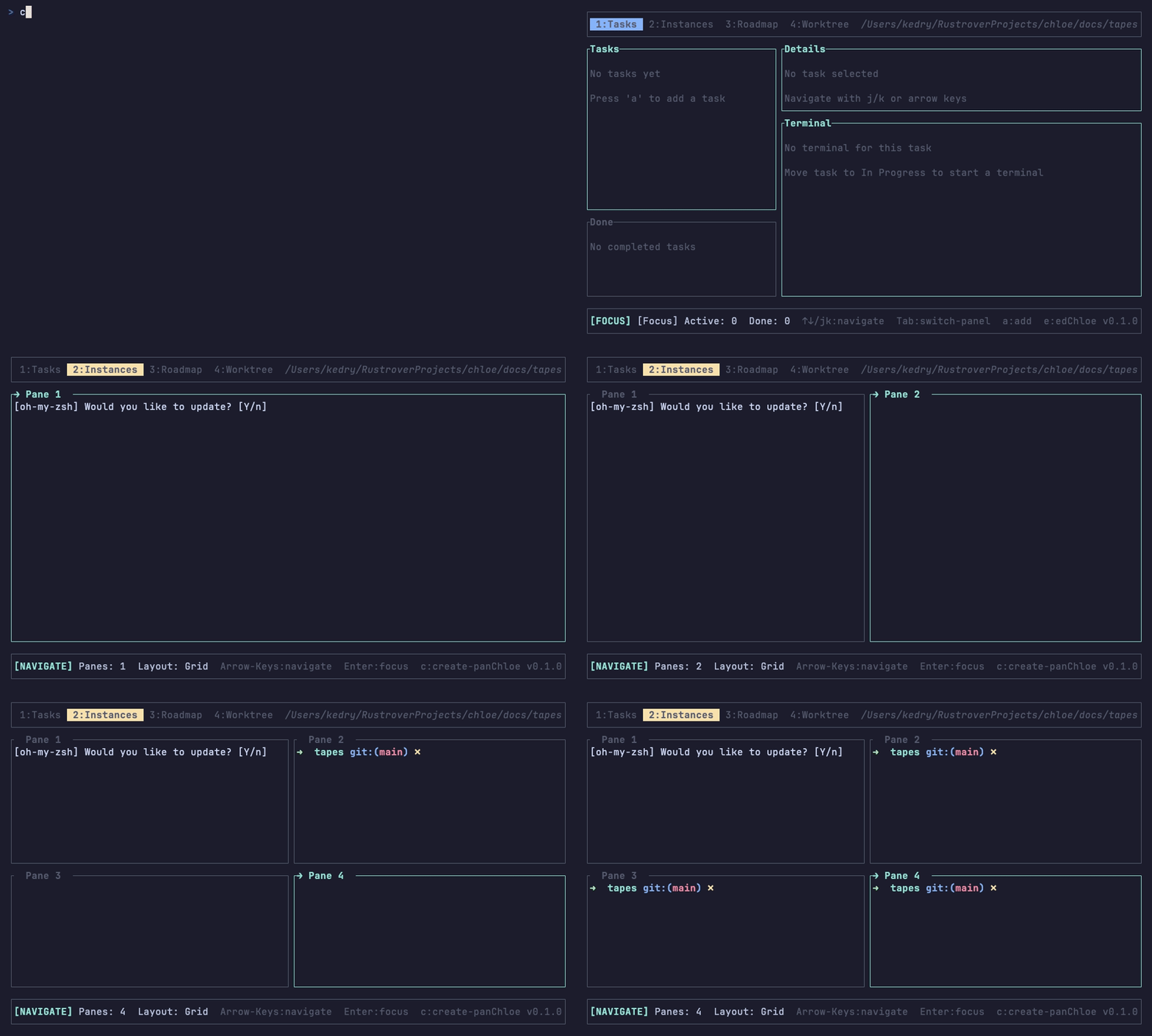
Layout Modes
Chloe supports multiple layout configurations for your terminal panes:
| Layout | Description |
|---|---|
| Single | One pane full screen |
| Horizontal Split | Two panes stacked vertically |
| Vertical Split | Two panes side-by-side |
| Grid | Four panes in a 2x2 grid |
Creating Panes
Press c to create a new terminal pane. This spawns a new shell session in your project directory.
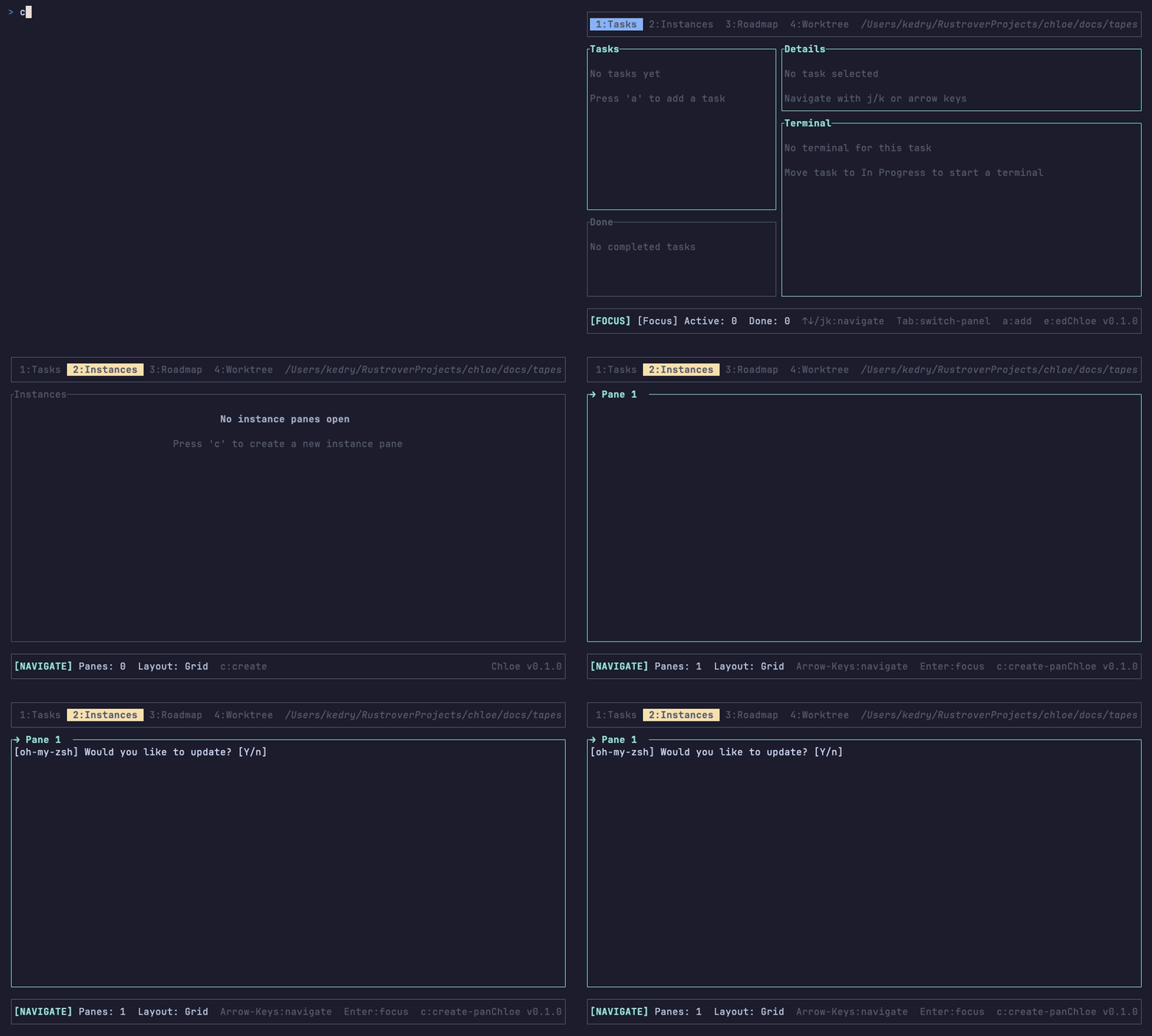
Panes created from tasks automatically start Claude Code with your task description.
Navigation Modes
Normal Mode
In Normal mode, you navigate between panes without sending input to the terminal.
| Key | Action |
|---|---|
← / ↑ | Select previous pane |
→ / ↓ | Select next pane |
Enter | Enter Focused mode |
c | Create new pane |
x | Close current pane |
The selected pane has a highlighted border.
Focused Mode
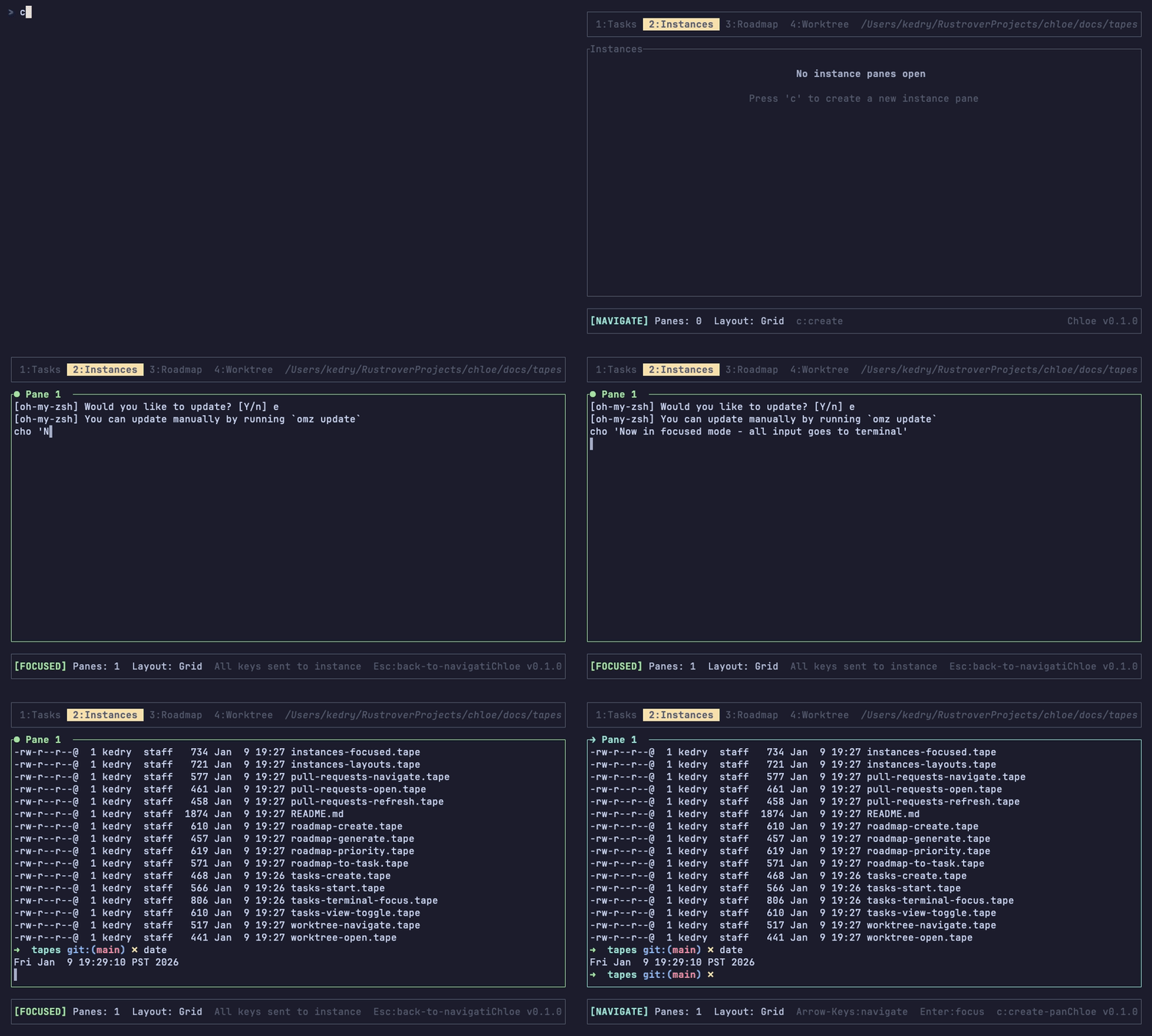
Press Enter to enter Focused mode on the selected pane. In this mode:
- All keyboard input goes directly to the terminal
- You can type commands, interact with Claude, etc.
- Press
Escto exit and return to Normal mode
Scrollback Navigation
While in Focused mode, you can navigate the terminal’s scrollback buffer:
| Key | Action |
|---|---|
Shift+PageUp | Scroll up through history |
Shift+PageDown | Scroll down through history |
Shift+Home | Jump to top of scrollback |
Shift+End | Jump to latest output |
The scrollback buffer preserves the full terminal history, so you can review Claude’s previous output even after it scrolls off screen.
Claude State Indicators
Each instance tracks Claude’s current state:
| State | Meaning |
|---|---|
| Idle | Terminal waiting for input |
| Running | Claude is actively working |
| Needs Permissions | Claude is waiting for approval |
| Done | Claude has completed the task |
Task Integration
When you start a task from the Tasks tab:
- A new terminal instance is created automatically
- Claude Code is launched with your task description
- The task and instance are linked by ID
- Press
tin the Tasks tab to jump to the linked instance
When Claude signals completion, the linked task automatically moves to the Review column.
Mouse Support
Chloe supports mouse interaction in the Instances tab:
- Click on a pane to select it
- Scroll wheel works for terminal scrollback
Keybindings Summary
| Key | Mode | Action |
|---|---|---|
← ↑ | Normal | Previous pane |
→ ↓ | Normal | Next pane |
Enter | Normal | Enter Focused mode |
c | Normal | Create new pane |
x | Normal | Close pane |
Esc | Focused | Exit to Normal mode |
Shift+PageUp | Focused | Scroll up |
Shift+PageDown | Focused | Scroll down |
Shift+Home | Focused | Jump to top |
Shift+End | Focused | Jump to bottom |
Technical Details
- Terminal Emulation: VT100 parsing for escape sequences
- PTY Backend: Cross-platform pseudo-terminal support
- Real-time Output: Terminal polled every render cycle
- No Persistence: Live sessions don’t survive app restart (only working directory is saved)